become a certified red team ANALYST
Identifies the risk and susceptibility of attack against key business information assets. Techniques, Tactics and Procedures (TTPs) of genuine threat actors are effectively simulated in a risk managed and controlled manner
Lifetime Access
24/7 Support
Pre - Recorded Training
Lifetime Lab Access
Training Language -English
100+ Hours of Video Training
Hands-on Practical Training
ROADMAP TO BECOME SUCCESSFULL RED-TEAMER
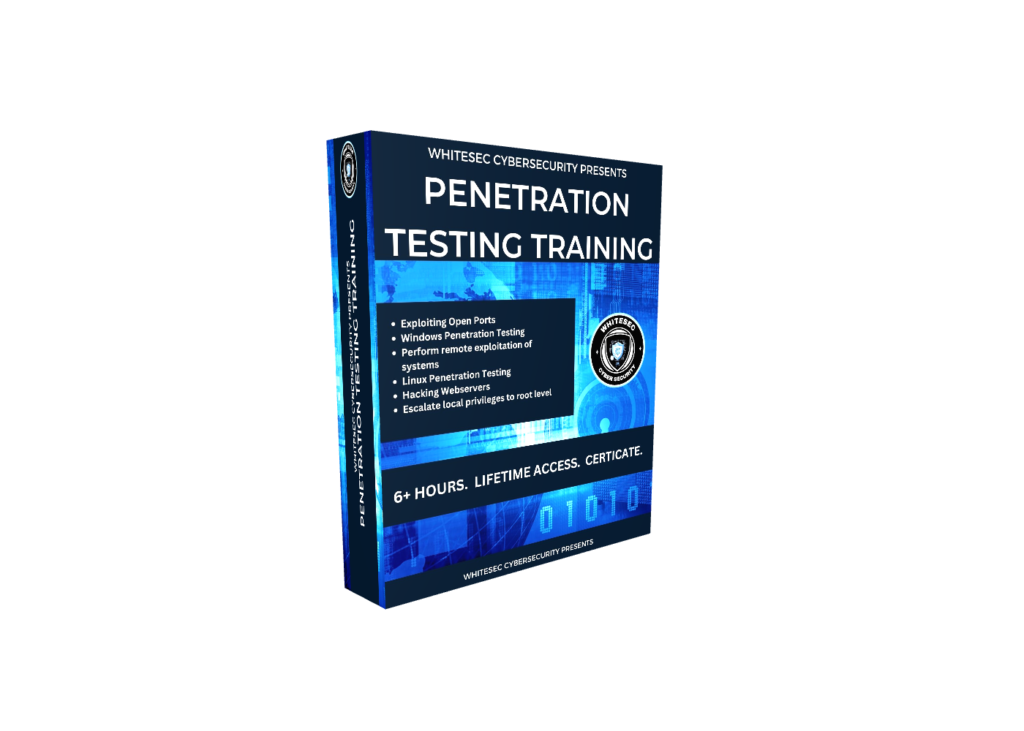
PENETRATION TESTING TRAINING
First Student need to Learn Penetration Testing Because Penetration Testing Is Back Bone of Red Teaming
In Penetration testing training student will learn common attacks and some CTF challenges Like Blackbox Pentesting, Whitebox Pentesting GreyBox Pentesting.
WIFI PENETRATION TESTING TRAINING FOR RED-TEAMERS
in this training student will learn how to perform wifi penetration testing using different hardwares such as raspberry pi wifi-pineapple android device nodemc.
wifi penetration testing is one section in mitre att@ck which comes under initial access wifi penetration testing is very important in terms of initial access
02

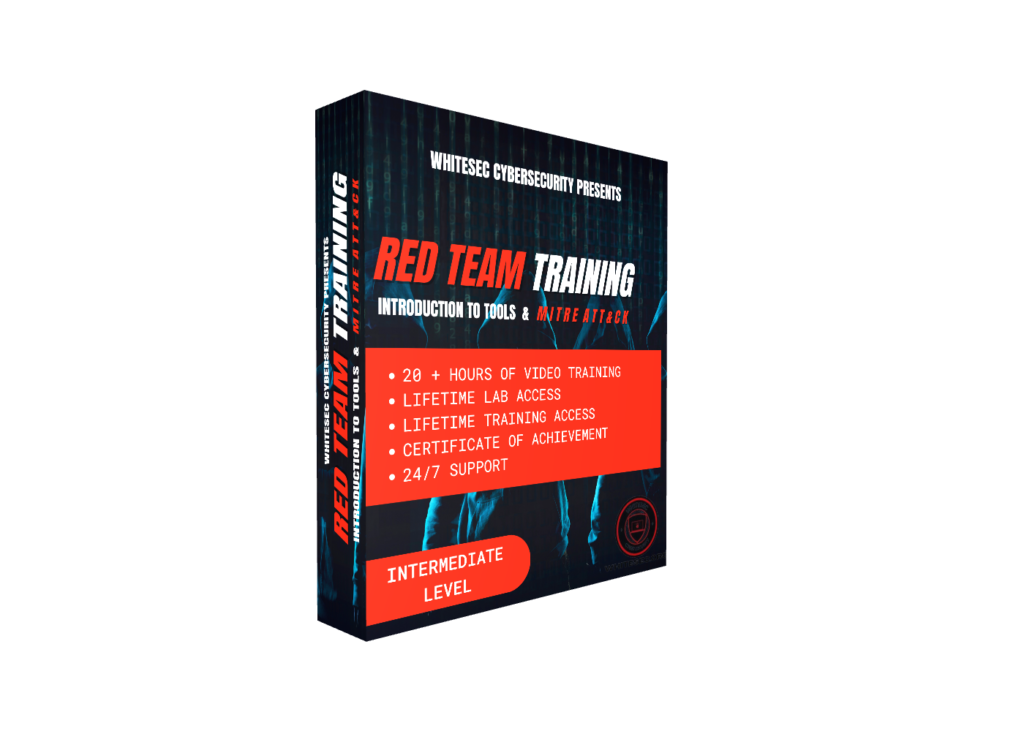
RED TEAM TRAINING - INTRODUCTION TO TOOLS AND MITRE ATT@CK
in this training student will learn what is red teaming and how to perform it learning all important techniques which is useful to compromise organization
03
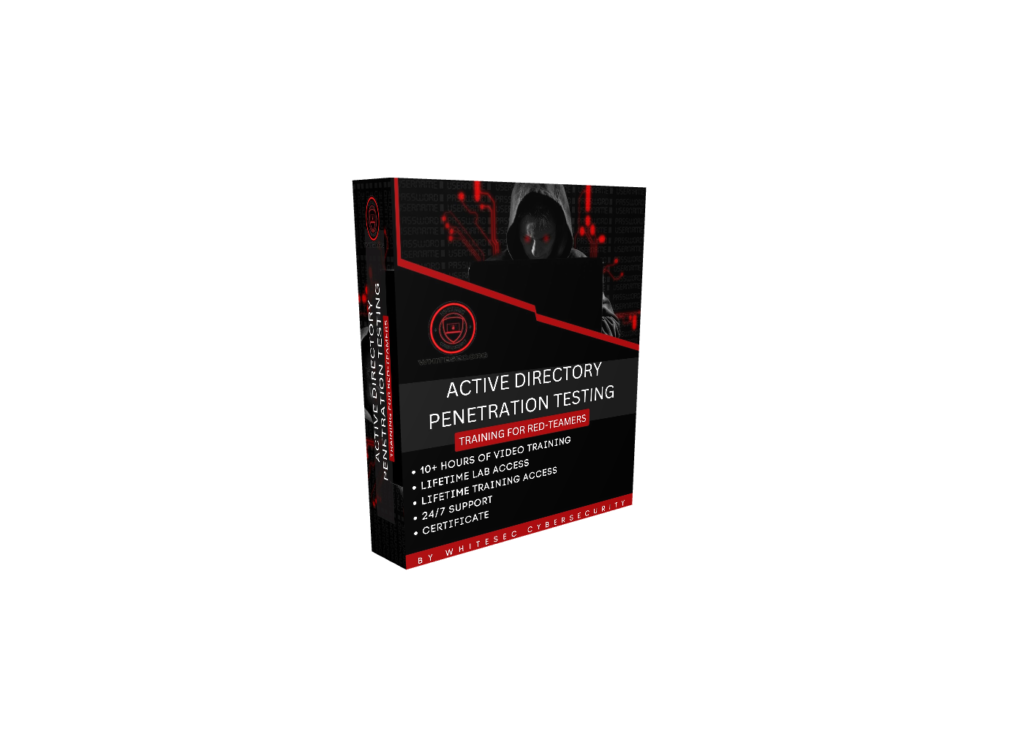
ACTIVE DIRECTORY PENETRATION TESTING FOR RED-TEAMERS
in this training student will learn how to perform windows active directory penetration testing
For intruders to get to what they ultimately want—your data—they need a plan in; they need credentials. The Active Directory (AD) stores all the credentials.
we will learn practically how Intruders compromise AD
04
PENETRATION TESTING USING METASPLOIT
in this training student will learn how to perform Penetration testing using metasploit
After completion of this training student will get complete knowledge about metasploit (Can able to perform windows penetration testing and vulnerability assessment)
05

EXTERNAL AND INTERNAL RED TEAM OPERATIONS TRAINING
in this training student will learn how to perform INTERNAL AND EXTERNAL RED TEAM OPERATION
student will get complete idea of red team operations like how to perform in real world
06
COMPLETE HANDS ON REAL WORLD RED TEAMING AND PENETRATION TESTING
In this Training student wil learn How to perform red teaming and penetration testing on real world
its a complete hands on practical section with lot of challenges
After completing this section student will get complete knowledge on how to approach in real world
07

AWS PENTESTING FOR RED TEAMERS
Students will learn how to identify, exploit, and chain real-world AWS misconfigurations like IAM abuse, S3 exposure, SSRF, and credential leaks from a red team perspective.
This is essential because modern infrastructures run on cloud, and we focus only on high-impact attack paths that real attackers use to achieve privilege escalation and full cloud compromise.
08

Blue Teaming for Red Teamers
Students will learn practical defensive techniques in this section, with new content added regularly. This course is primarily focused on Red Teaming, so you should complete the Red Team modules first. The Blue Team content is included as a bonus to help you understand detection and improve your offensive skills.
09

NOTE- PENETRATION TESTING TRAINING AND WIFI PENETRATION TESTING TRAINING FOR RED-TEAMERS IS A BONUS TRAININGS
What is Red Teaming?
Red Teaming is a type of security test where experts pretend to be hackers to see if they can break into a company’s systems. The goal isn’t to cause harm but to help the company find weak spots in its security before real attackers do.
How Red Teaming Works
Imagine a security team in a company – usually called the Blue Team – that defends against cyber threats. A Red Team acts as the opposing force by attempting to breach security in creative and unexpected ways. They test both technical defenses (like firewalls) and human weaknesses (like employees who might click on phishing emails).
Why Red Teaming Matters
Uncover Weak Spots
Red Teams look for gaps in the company’s defenses that may go unnoticed. If they find any vulnerabilities, the company can fix them before a real hacker exploits them.Prepare the Security Team
Red Teaming provides the company’s defenders, the Blue Team, with real-life practice in detecting and stopping threats. This helps them be more effective when faced with an actual attack.Test All Security Layers
Red Teaming checks all parts of security, including digital defenses, employee readiness, and physical access control. This holistic approach gives a clear view of how secure the company really is.
Example:
A retail company might hire a Red Team to test its security. The Red Team could try things like:
- Phishing: Sending fake emails to employees to see if they’re tricked into revealing sensitive information.
- Network Attacks: Trying to access the company’s internal systems to find any vulnerabilities in their digital setup.
Each test helps the company understand and improve its security.
Why It’s Important for Ethical Hackers
Learning about Red Teaming helps ethical hackers think like attackers and understand how defenses work in the real world. This makes them better at both finding security flaws and understanding how to protect against them. Red Teaming is all about staying one step ahead of actual hackers, which is essential in cybersecurity.
TOPICS WHAT WE ARE COVERING
Penetration Testing (Blackbox Greybox and Whitebox)
Section 1: Kali Linux Setup
Install Kali Linux
Setup VMware Workstation
Section 2: Metasploit Framework
Overview of Metasploit
Metasploitable Setup
Footprinting & Scanning
Exploiting FTP & Remote Machines
Section 3: Linux Commands for Pentesters
Key Commands for Pentesting
Section 4: Basic Linux Penetration Testing
Penetration Testing Basics
Lab Setup & Scanning
Backdoors & Shell Access
Privilege Escalation
Section 5: Advanced Linux Pentesting Part 2
Scanning Access and Shell Uploads
Privilege Escalation
Section 6: Advanced Linux Pentesting Part 3
Scanning Cracking & Access
Privilege Escalation
Section 7: Linux CTF
Lab Setup Scanning & Enumeration
Bruteforce Shell Access & Escalation
Section 8: Beginner Linux CTF
Challenges 1–4
Section 9: Beginner Windows Pentesting
Setup Scanning & Initial Access
Privilege Escalation & Flag Capture
Section 10: Intermediate Windows Pentesting
Scanning Access & Exploration
Privilege Escalation
Section 11: Intermediate Linux Pentesting
Scanning Access & Exploits
Privilege Escalation
Penetration Testing For Red Teamers v2
How to Make Effective Notes for Pentesting
1 Introduction to Penetration Testing v2 Techniques
2 Blackbox Pentesting – Local Privilege Escalation via SUID Exploitation
3 Exploiting the “Blue” Vulnerability – Hands-On Session
4 Blackbox Pentesting – Machine 3 Walkthrough
5 Enumerating Samba Services to Discover and Access Shares
6 Exploiting NFS (Network File System) to Gain Access
7 Privilege Escalation Using Path Variable Manipulation
8 Blackbox Pentesting 4 – Exploiting Rejetto Server Vulnerability
9 Automating Privilege Escalation Checks with PowerUp and WinPEAS
10 Exploiting Unquoted Service Path Vulnerability to Gain Root Access
11 Blackbox Pentesting – Manual Approach to Identifying and Exploiting Vulnerabilities
12 Blackbox Pentesting – Gaining Access to Jenkins Server
13 Manual Token Impersonation Using JuicyPotato
14 Blackbox Pentesting – Exploiting Blog Engine Vulnerabilities
15 Locating and Exploiting Autologon Credentials
16 Blackbox Pentesting – Initial Access via SQL Injection
17 Privilege Escalation by Exploiting Webmin Misconfigurations
18 Blackbox Pentesting – SQL Injection on Joomla to Gain Initial Access
19 Local Privilege Escalation via YUM Package Manager Exploitation
20 Blackbox Pentesting – Gaining Access by Exploiting WordPress Vulnerabilities
21 Privilege Escalation through SSH Tunneling Techniques
22 Final Steps and Review of Key Pentesting Approaches
Penetration Testing For Red Teamers v3
-
Introduction – What’s New in This Version
-
Setting Up Labs for Penetration Testing
-
The Right Approach to Starting Host-Based Pentesting
-
Lab Requirements and Setup
-
File Transfer Techniques in Pentesting
-
Comprehensive SMB Enumeration and Exploitation
-
Student Exercise – SMB Practice
-
End-to-End Approach to Network Penetration Testing
-
Student Exercise – Network Pentesting
-
Web Content Discovery – Complete Guide
-
Hands-On Practice – Web Content Discovery
-
Student Exercise – Web Content Tasks
-
Mastering WinRM – Complete Guide to Windows Remote Management in Pentesting
-
Hands-On Hacking – Full Network Compromise
-
Exploiting Microsoft SQL for Network Access
-
Credential Dumping and Pivoting Techniques
-
Password Spraying Attacks for Initial Access
-
Path Exploitation – Building and Attacking a Custom Vulnerable Lab
Hands-On Real-World Exploitation Scenarios
-
Real-World Hands-On Labs and Course Updates
Complete Linux Privilege Escalation for RED TEAMERS
1. Introduction to Linux Privilege Escalation and Pentesting
2. Lab Setup and Requirements
3. Manual Enumeration Techniques on a Live Linux Machine
4. Leveraging AI for Pentesting, Live Hunting, and Exploitation on Ubuntu
5. Discovering Plaintext Credentials on Linux (Manual and Automated Methods)
6. Identifying and Exploiting Weak File and Directory Permissions
7. Crontab Exploitation: Complete Guide to Hunting and Abusing Weak Cron Jobs
8. Exploiting Misconfigured PATH Environment for Privilege Escalation
9. Abusing Sudo Rights for Privilege Escalation
10. Live Discovery of LD_LIBRARY_PATH Vulnerabilities
11. Exploiting LD_LIBRARY Injection for Privilege Escalation
12. Understanding SUID and Exploiting SUID Binaries in Real-Time
13. Exploiting Shared Object Injection for Privilege Escalation
14. Hunting and Exploiting Linux Capabilities for Privilege Escalation
15. Privilege Escalation via MySQL Misconfigurations
16. Docker Privilege Escalation: From Container to Host Root Access
17. Student Challenges, Practice Tasks, and Course Updates
Red Team Ops - Camera Hacking & Surveillance Takeover
- Welcome to the CCTV Pentesting Masterclass
- Target Acquisition: Discovering Exposed CCTV IP Addresses
- Real-World Recon & Vulnerability Scanning of Private Camera Systems
- Live Recon: Identifying Publicly Accessible CCTV Feeds
- CCTV Login Portal Testing: Real-World Attack Simulation
- Exploiting Client-Side & Server-Side Response Weaknesses
- Internal Recon: Mapping Cameras Within Target Organizations
- Bypassing Defenses: Uncovering Origin IPs Behind Proxies & WAFs
- Vulnerability Assessment of Cameras & Network Devices (Routers)
- Breaking Digest Authentication: Security Testing & Analysis
RED TEAM - INTRODUCTION TO TOOLS AND MITRE ATT@CK
1.Reconnaissance
Amass
What is Reconnaissance
What is Domain Enumeration
Domain Enumeration Using Amass
Domain Enumeration Using Amass on Live Websites
Subdomain Bruteforce Using Amass
Important Scanning Tips Using Amass in Infrastructure
ASN Scanning
How to Perform Reverse WHOIS Lookup
Sniper and Harvester
Sniper for Recon
What is Active and Passive Scanning
How to Perform Active and Passive Scanning Using Sniper
How to Analyze Sniper Results
Performing Passive Scanning and Hunting Injection Parameters Using
Sniper
Important Notes
Harvester for Recon
Installing Harvester
Using Harvester to Hunt Subdomains, IP Ranges, and Admin Panels
Brute Force Domains Using Harvester
DNS Lookup Using Harvester
Important Notes
Recon-ng
Information Gathering Using Recon-ng
Setting Up Workspace in Recon-ng
Installing and Using Modules in Recon-ng
Deep Dive Into Recon-ng
Importing API Keys
Shodan Integration in Recon-ng
Shodan Integration in Recon-ng (Part 2)
Web Interface of Recon-ng
Maltego
Recon Using Maltego
Gathering Comprehensive Information About an Organization
Hunting Leaked Credentials
Live Hunting of Leaked Credentials for Real Organizations
Nikto
What is Nikto
Setting Up Lab for Nikto
Scanning Websites Using Nikto
Scanning Multiple Hosts Using Nikto
Scanning Services and Hunting Vulnerabilities Using Nikto
Using Plugins in Nikto
Shodan
Recon Using Shodan
What is Shodan and Why We Use It
Hunting Cameras, Printers, and IPs of Specific Organizations
Shodan CLI Basics
Using Shodan Dorks
Spider
Spider for Recon
Objectives and Learning Outcomes
Hunting Emails and Phone Numbers
Gathering Information About Employees
Using the Command Line Interface of Spider
OSINT Framework Integration
Hunting Through Usernames
2. Resource Development
Lab Setup (Part 1)
Lab Setup (Part 2)
MITRE ATT&CK Framework Overview
Using Metasploit Effectively
Listening for Connections
Generating Python Payloads
3. Initial Access
Luckystrike
Overview of Luckystrike and Objectives
Configuring Luckystrike for Use
Generating Malicious Documents (Part 1)
Generating Malicious Documents (Part 2)
Injecting Payloads into XLS Files
Hands-On Real-World Attack Using Luckystrike
Listening for Connections
Gophish
Why Use Gophish for Phishing Campaigns
Configuring Gophish Correctly
Setting Up a Victim Machine to Test Attacks
Creating Phishing Campaigns
Setting Up SMTP, Spoofing Emails, and Designing Phishing Pages
Analyzing Phishing Campaign Results
Sending Malicious Files Through Gophish
SQLMap
Introduction to SQLMap
Why SQLMap is Essential for Exploitation
Exploiting Vulnerabilities Using SQLMap
Using Cookies to Dump Usernames and Passwords
Automating the Search for Vulnerable Parameters
WiFi Pineapple
Introduction and Tools Overview
Setting Up WiFi Pineapple
Configuring WiFi Pineapple for Use
Command Line and SSH with WiFi Pineapple
Deauth Attacks and Capturing Handshakes
Hacking Logins with WiFi Pineapple
MITM Attacks
What is MITM and ARP Spoofing Attacks
Performing ARP Spoofing Step-by-Step
MITM Attack on CCTV Logins
MITM Attack on Web-Based SCADA Systems
MITM on Smart Office Portals and Decrypting Hashes
Working with Ettercap for ARP Spoofing
DNS Spoofing Setup and Attack Execution
Stealing Social Media Accounts via DNS Spoofing
MITM Attack on HTTPS Networks
Handling HSTS-Enabled Networks
4. Execution
Unicorn
Execution Using Unicorn
Setting Up Unicorn for Payload Generation
Generating Malicious Scripts and Macros
Generating HTA and DOCX Payloads
Bypassing Windows Defender
Donut
What is Donut and Its Applications
Installing and Learning Donut Basics
Adding Encryption to Payloads Using Donut
Performing Process Injection with Donut
5. Persistence
Introduction to Persistence Techniques
Installing Empire for Persistence Attacks
Setting Up Client and Server for Empire
Generating Malicious BAT Files
Performing Privilege Escalation Using Empire
Installing Starkiller (GUI for Empire)
Deep Dive into Starkiller Modules (Persistence, Privilege Escalation)
Persistence Using Registry Keys and Scheduled Tasks
Removing Persistence from Target Machines
Impacket
What is Impacket and Its Role in Persistence
Setting Up Impacket for Attacks
Using WMIExec and WMIPersist for Persistence
Verifying and Removing WMIPersist Setup
6. Privilege Escalation
Rubeus
Privilege Escalation Using Rubeus
Building and Using Rubeus for Kerberoasting
AS-REP Roasting and Cracking Hashes
SharpUp
Using SharpUp for Privilege Escalation
Scanning and Exploiting Vulnerabilities with SharpUp
7. Defense Evasion
AV Evasion Bypassing Defender
Employing ProxyChains During Recon and Scanning
8. Credential Access
Mimikatz
What is Mimikatz
How to Dump Passwords from System Memory Using Mimikatz
Dumping Passwords (LSASS)
Dumping Credentials from Browser Using Mimikatz
Changing Passwords Using NTLM Hash
Hashcat
Why We Are Using Hashcat
Learning About Hashcat Modes and Cracking Hashes
How to Perform Advanced Dictionary Attacks
Important Notes About Hashcat
Cracking Password-Protected PDFs
Cracking Password-Protected DOCX Files
Responder
Introduction to Responder and Why We Are Using It
How LLMNR/NetBIOS Poisoning Works
Capturing (LLMNR) NTLMv2 Hashes
Cracking NTLMv2 Hashes Using John the Ripper
How to Perform This Attack in Real-World Red Team Assessments
John the Ripper
What We Are Learning with John the Ripper
Learning About Rules in John the Ripper
Dumping Passwords Using PwnDump
Learning About GS, KC, and KPS Modes
Understanding Different Hash Formats
Cracking Shadow File Hashes
Hydra
Introduction to Hydra and Its Capabilities
Brute Force Attacks Using Hydra
Advanced Usage of Hydra for Password Cracking
How to Perform Password Spraying Using Hydra
Lazagne
Overview of Lazagne and Objectives
Compiling Lazagne and Fixing Issues
Dumping Credentials from Browsers Using Lazagne
Dumping RDP, FTP, and VNC Credentials
Extracting Application Credentials Using Lazagne
Bypassing Antivirus Protections with Lazagne
9. Lateral Movement
What is Pass the Hash and Pass the Ticket Attacks
Techniques for Lateral Movement in Networks
10. Collection
PowerSploit
Capturing Screenshots and Keystrokes with PowerSploit
Finding Sensitive Files in the Network
PowerUpSQL
Auditing MS-SQL Databases
Extracting Usernames, Passwords, and Emails
11. Command and Control
Covenant
Setting Up Covenant Using Docker
Generating Malicious Scripts with Covenant
Empire
Setting Up Empire for Command and Control
Using Empire Modules for Credential Dumping and Password Spraying
Cobalt Strike
Setting Up and Using Cobalt Strike for Advanced Red Team Operations
12. Exfiltration
Techniques for Extracting Sensitive Data
Encrypting and Decrypting Files During Exfiltration
13. Impact
Examples of Impactful Attacks (DoS, DDoS)
Methods to Prevent DoS and DDoS Attacks
Active directory penetration testing for red teamers - LEARN THOSE ATTACKS WHICH ARE NECESSARY FOR RED TEAMERS
- Become a Master in Active Directory Penetration Testing
- How to Perform Active Directory Pentesting in Real-World Scenarios with Clients
- What is LLMNR Poisoning, and How Does It Work
- Detailed Class on Responder: Real-World Usage and Best Practices
- Cracking Hashes and Choosing the Right Hardware (Rig) for Efficient Hash Cracking
- What is SMB Relay Attack, and How It Happens
- How to Check for SMB Relay Vulnerabilities in a Network
- Performing SMB Relay Attack (Basic Setup and Execution)
- Performing SMB Relay Attack (Advanced Techniques)
- Authentication Using Psexec and Exploiting SMB Weaknesses
- What is IPv6, and Why Do Systems Use It?
- Understanding and Learning About DNS Takeover Attacks
- Performing IPv6-Based Attacks (Part 1: Fundamentals)
- Performing IPv6-Based Attacks (Part 2: Advanced Techniques)
- Adding Users and Computers in Active Directory Using NTLM Relay and Kerberos Delegation
- Adding Users and Computers in Active Directory Using NTLM Relay and Kerberos Delegation (Advanced Methods)
- Important Notices and Precautions for Active Directory Attacks
- Active Directory Enumeration Techniques
- Deep Dive into Active Directory Enumeration Using PowerView
- Simplified Explanation of Active Directory Enumeration Concepts
- How to Compromise Active Directory: Step-by-Step Approach
- Explanation of Pass-the-Hash Attack: Why and When to Perform It
- What is a Pass-the-Password Attack?
- How to Perform Pass-the-Password Attacks and Password Spraying Using CrackMapExec
- Targeting Local Administrators for Privilege Escalation
- Deep Dive into CrackMapExec: Features and Usage in AD Penetration Testing
- Performing Pass-the-Hash Attacks and Understanding NTLM Hashes
- What is Token Impersonation (Privilege Escalation)?
- How to Perform Token Impersonation for Privilege Escalation
- What is a Kerberos Attack? How Kerberos Authentication Works and Detecting Kerberos Attacks
- Dumping Kerberos Hashes for Post-Exploitation
- Cracking Kerberos Hashes Using Hashcat: Techniques and Modes
- Learning About NTLM and NTLMv2: Comparison and Attack Strategies
- How to Dump Clear-Text Passwords from the Windows Registry
- What is a Golden Ticket Attack? Understanding Persistence in AD Attacks
- How to Perform a Golden Ticket Attack for Persistence in Active Directory
- Deep Dive into Identifiers and the Active Directory Cheat Sheet
Metasploit for Red Teamers - BECOME A MASTER IN METASPLOIT
1. Introduction and Installation
Overview of Metasploit and Its Importance in Penetration Testing
Step-by-Step Guide to Installing Metasploit on Various Platforms
2. Difference Between Automated and Manual Penetration Testing
Key Differences Between Automated and Manual Approaches
Scenarios Where Each Approach is Effective
3. Installing Kali Linux
Detailed Instructions on Setting Up Kali Linux for Penetration Testing
4. How Metasploit Works
Understanding the Workflow of Metasploit: Exploits, Payloads, and Sessions
5. What is Metasploit?
Explanation of Metasploit Framework and Its Role in Ethical Hacking
6. About Metasploit Payloads and Modules
Types of Payloads: Stagers and Staged Payloads
Categories of Modules: Exploits, Auxiliary, Post-Exploitation, and Payloads
7. Architecture of Metasploit
Deep Dive into the Components and Architecture of Metasploit Framework
8. Metasploit Database
Setting Up and Managing Metasploit’s Database for Efficient Penetration Testing
9. Metasploit Workspace
Organizing Projects and Results Using Workspaces in Metasploit
10. Fundamentals of Metasploit
Basic Commands and Techniques for Beginners in Metasploit
11. Filtering Payloads, Exploits, Auxiliary Modules, and CVEs
Using Filters to Find Relevant Modules Based on CVEs or Vulnerabilities
12. Scanning Connected Clients and Grabbing OS Details
Techniques to Discover Hosts and Identify Their Operating Systems
13. Complete Course on Windows Hacking
Comprehensive Guide to Windows Exploitation and Post-Exploitation
14. Ethical Hacking – Windows Penetration Training
Hands-On Training for Penetrating and Securing Windows Environments
15. Metasploit Database Backend Commands
Commands for Managing the Database Backend and Their Practical Uses
16. Performing Nmap Scanning from Metasploit
Integrating Nmap with Metasploit for Scanning and Enumeration
17. Performing Port Scanning, Enumeration, and Brute Force Using Metasploit
Step-by-Step Guide to Scanning and Bruteforce with Metasploit Modules
18. Web Enumeration and Finding Vulnerabilities Using Metasploit
Using Metasploit for Identifying Web Application Vulnerabilities
19. Metasploit Client-Side Attack
Launching Social Engineering and Client-Side Exploits with Metasploit
20. MSFVenom Payloads and Encoders to Bypass Security
Creating Custom Payloads and Using Encoders to Evade Antivirus
21. Injecting MSFVenom Payload to Avoid AV Detection
Advanced Techniques for Payload Injection and Evasion
22. Testing Payloads and Creating RC Files
Verifying Payloads and Automating Attacks with RC Files
23. Nessus Installation for Vulnerability Scanning
Setting Up Nessus for Network and Application Vulnerability Scans
24. Performing Vulnerability Assessment Using Nessus
Scanning and Analyzing Vulnerabilities Using Nessus
25. Exploiting ManageEngine Vulnerabilities
Identifying and Exploiting Vulnerabilities in ManageEngine
26. Exploiting MySQL Server
Attacking Misconfigured or Vulnerable MySQL Instances
27. Exploiting Elasticsearch
Exploiting Misconfigured Elasticsearch Servers for Data Access
28. Learning Meterpreter Shell Commands
Common and Advanced Meterpreter Commands for Post-Exploitation
29. Post-Exploitation Modules
Exploring Metasploit Modules for Post-Exploitation Activities
30. Testing Privilege Escalation Vulnerabilities on Windows
Identifying and Exploiting Privilege Escalation Flaws in Windows
31. Token Impersonation Attack
Performing Privilege Escalation via Token Impersonation
32. Windows Persistence
Techniques to Maintain Access to Windows Systems After Exploitation
33. Mimikatz – Credential Dumping from Memory
Extracting Credentials from Memory Using Mimikatz
34. Pass-the-Hash Attack
Bypassing Authentication Using Pass-the-Hash Techniques
35. Linux Penetration Testing
Comprehensive Guide to Penetration Testing on Linux Systems
36. Hacking Linux-Based Systems
Exploiting Linux Vulnerabilities and Weaknesses
37. Host Discovery and Vulnerability Scanning Using Nessus
Discovering Hosts and Identifying Weaknesses in a Network
38. Exploiting Linux Web Servers
Techniques to Exploit Common Vulnerabilities in Linux-Based Web Servers
39. Exploiting Drupal
Identifying and Exploiting Vulnerabilities in Drupal CMS
40. Exploiting phpMyAdmin
Exploiting Misconfigurations and Vulnerabilities in phpMyAdmin
41. Linux Enumeration and Post-Exploitation Modules
Gathering Information and Performing Post-Exploitation Tasks on Linux
42. Privilege Escalation in Linux
Identifying and Exploiting Privilege Escalation Flaws on Linux
43. Persistence in Linux
Techniques to Maintain Persistent Access to Compromised Linux Systems
Red ream analyst Training - HOW TO APPROACH IN REAL WORLD
1. Introduction
Overview of Red Team Operations and the Importance of Simulating Real-World Attacks for Security Testing
2. Lab Overview
Setting Up a Red Team Lab Environment for Penetration Testing and Offensive Security Exercises
3. Performing Red Team Operations
Understanding the Phases of a Red Team Engagement: Initial Reconnaissance, Exploitation, Pivoting, and Post-Exploitation
4. Important Steps Before Performing Pivoting
Key Considerations Before Attempting Pivoting: Gaining Initial Access, Escalating Privileges, and Reconnaissance of the Network
5. Performing Pivoting – Part 1
Introduction to Pivoting: How to Use a Compromised Host to Gain Access to Other Segments of the Network
6. Performing Pivoting – Part 2
Configuring and Using Tunnels: Techniques for Forwarding Ports and Bypassing Network Segmentation
7. Performing Pivoting – Part 3
Advanced Pivoting Techniques: Utilizing Proxychains, SSH Tunnels, and Meterpreter for Further Penetration
8. Internal Red Team Operations
How to Simulate an Internal Attack: Moving from Initial Access to Full Compromise of a Target Environment
9. Privilege Escalation
Techniques for Gaining Higher Levels of Access on Target Systems: Exploiting Misconfigurations and Vulnerabilities for Privilege Elevation
10. Credential Dumping and Pass-the-Hash Attack
Dumping Credentials from Memory and the Windows SAM: Using Tools Like Mimikatz for Credential Harvesting
Performing Pass-the-Hash Attacks to Bypass Authentication
11. Lateral Movement
Techniques for Moving Across the Network: Using Tools Like PsExec, WinRM, and WMI to Access Other Machines
12. Exploiting Active Directory
How to Target and Exploit Active Directory for Privilege Escalation and Lateral Movement
Exploiting AD Misconfigurations and Permissions for Gaining Domain Admin Rights
13. Kerberoasting Attack
Understanding and Performing a Kerberoasting Attack: Extracting Service Account Hashes from Kerberos Tickets
14. Silver Ticket Attack
Performing a Silver Ticket Attack to Gain Unauthorized Access to Services in a Domain
15. Golden Ticket Attack
Exploiting Kerberos Authentication: How to Forge a Golden Ticket for Persistent Access to a Domain
16. Congrats and Updates
Ongoing Updates: How to Keep Skills and Knowledge Current in the Evolving Cybersecurity Landscape
Master in Active Directory - THIS SECTION IS ONLY FOCUSED ON ACTIVE DIRECTORY
1. Introduction to Master in Active Directory
Overview of the comprehensive training on Active Directory security, exploitation, and techniques for mastering the subject.
2. Introduction to Active Directory (Deep Dive with Examples)
Detailed exploration of Active Directory, its role in modern IT environments, and how it functions as the backbone for identity and access management in enterprise networks.
3. How Active Directory Works
Understanding the inner workings of Active Directory: user authentication, group policies, directory services, and domain controllers.
4. Active Directory Structure
Deep dive into the architecture of AD: Domains, Domain Controllers, Organizational Units (OUs), and Group Policy Objects (GPOs).
5. What is Tree and Forest
Explanation of the concepts of AD Tree and Forest, their hierarchical relationship, and how they structure large-scale enterprise networks.
6. Difference Between Tree and Forest
Distinguishing between Trees (a collection of domains that share a common schema) and Forests (a top-level container for one or more trees).
7. Enumeration
Techniques for enumerating Active Directory objects: users, groups, and computers for reconnaissance and vulnerability assessment.
8. Basic Scanning on Active Directory
Introduction to tools and techniques for performing basic network scanning and AD service enumeration.
9. Difference Between Whitebox, Blackbox, and Greybox Pentesting
Overview of penetration testing methodologies
10. Enumerating Active Directory Users, Administrators, and Computers through RPC
Exploring how RPC (Remote Procedure Call) is used to enumerate Active Directory entities and their relationships.
11. LDAP Enumeration (Dump Users, Computers, Groups)
How to use LDAP (Lightweight Directory Access Protocol) to gather detailed information about Active Directory users, computers, and groups.
12. SMB Enumeration and Learning How Attackers Spread RATs or Malicious Files in Network
Exploring SMB (Server Message Block) enumeration for discovering network shares and potential attack vectors, such as Remote Access Trojans (RATs) and malware spread.
13. Deep Dive with Enum4Linux
Using the Enum4Linux tool to enumerate AD and SMB data from Linux systems, focusing on user details, group memberships, and other sensitive information.
14. Kerberos Enumeration
Techniques for enumerating Kerberos service tickets, including how they can be exploited by attackers to obtain sensitive data.
15. Kerberos Enumeration – Password Spraying
How to perform password spraying attacks against Kerberos authentication to gain unauthorized access to services.
16. RDP Enumeration
Identifying Remote Desktop Protocol (RDP) services running within the environment and how attackers can exploit them.
17. RDP Enumeration – Bruteforce Attack, User Spray
Performing brute force attacks and user spraying against RDP services to gain access to remote systems.
18. Active Directory Enumeration
General methods for identifying and cataloging the structure and components of an Active Directory environment.
19. Enumeration Using PowerView
Using PowerView, a PowerShell tool, for detailed AD enumeration, including user enumeration, group enumeration, and finding domain admins.
20. Enumerating Users, Administrators, and Computers
Advanced techniques for identifying users, administrators, and computer systems in an Active Directory environment using PowerView and other tools.
21. Initial Access
Gaining initial access to the network: leveraging misconfigurations and weak security controls to gain foothold.
22. LLMNR Poisoning, SMB Relay, ARP Spoofing (Network-Based Attacks)
Techniques for performing network-based attacks like LLMNR poisoning, SMB relay, and ARP spoofing to intercept or manipulate network traffic.
23. Stealing RDP Credentials
Attacking RDP services to capture credentials, and how to bypass authentication mechanisms to compromise systems.
24. Complete Concept of Users
A thorough understanding of user accounts, policies, and permissions within Active Directory, and their exploitation potential.
25. What is Privilege Escalation and How it Works
Definition of privilege escalation and how attackers gain higher-level access within an environment, moving from a user account to an admin level.
26. Hands-On Windows Privilege Escalation
Practical exercises and techniques for escalating privileges on Windows-based systems.
27. What is Unquoted Service Path – P.E
Explanation of unquoted service path vulnerability in Windows services and its exploitation for privilege escalation.
28. Deep Dive and Manual Privilege Escalation (Unquoted Service Path)
Advanced techniques for exploiting unquoted service path issues, leading to privilege escalation.
29. What is AlwaysInstallElevated
Understanding the AlwaysInstallElevated policy in Windows and how it can be exploited for privilege escalation.
30. Privilege Escalation (AlwaysInstallElevated)
Exploiting the AlwaysInstallElevated registry key to escalate privileges on Windows systems.
31. Weak Permissions in Windows
Identifying and exploiting weak file and service permissions in Windows to escalate privileges.
32. Privilege Escalation through Binpath
Leveraging misconfigurations in the BinPath service key to execute malicious payloads and escalate privileges.
33. Finding Misconfigurations and Vulnerable Services in Windows that Lead to Privilege Escalation
Techniques for identifying misconfigurations or vulnerable services that allow privilege escalation in Windows environments.
34. Pivoting – Bypassing Network Defense
Overview of pivoting, bypassing network defenses, and gaining access to restricted areas within a network.
35. Pivoting and Port Forwarding
Using pivoting and port forwarding techniques to move laterally across the network and access restricted systems.
36. Pivoting – Metasploit
Utilizing Metasploit for pivoting within a compromised network, setting up tunnels and exploiting internal systems.
37. Explanation About Remote and Local Port Forwarding
Detailed explanation of remote and local port forwarding techniques for bypassing firewalls and network defenses.
38. Lateral Movement – Pass-the-Hash Attack, DCSync, NTDS, SAM
Understanding and performing lateral movement techniques, such as Pass-the-Hash, DCSync, and NTDS dumping for accessing other machines in the network.
39. Pass-the-Ticket Attack
How to perform Pass-the-Ticket attacks against Kerberos authentication to impersonate users and move laterally across a domain.
40. Kerberoasting Attack
Detailed guide on Kerberoasting, its risks, and how to exploit Kerberos tickets to gain unauthorized access to service accounts.
41. Over Pass-the-Hash Attack
Explanation of advanced techniques to bypass traditional hash-based authentication mechanisms using Over Pass-the-Hash.
42. AS-Rep Roasting
How to perform AS-REP Roasting to extract and crack Kerberos hashes, typically from accounts with weak passwords.
43. Persistence through Task Scheduler, Startup Folder, Registry
Establishing persistence on compromised systems through various techniques, including task scheduler, startup folder, and registry keys.
44. Persistence – Silver Ticket Attack
Leveraging Silver Ticket attacks for persistence on Active Directory environments, allowing attackers to access services without being detected.
45. Golden Ticket Attack
How to forge Golden Tickets in a Kerberos environment to gain long-term access and control over the domain.
46. Diamond Ticket Attack
Advanced ticket manipulation in Kerberos to maintain elevated privileges across the network, similar to the Golden Ticket but with enhanced capabilities.
COMPLETE HANDS ON REAL WORLD RED TEAMING AND PENETRATION TESTING (Student Demand)
1. Introduction to the Updated Section
This section introduces real-world Red Team and penetration testing methods, focusing on practical applications in real environments and how these skills are used to test the security of an organization.
2. Vulnerability Assessment and Penetration Testing
This topic explains the differences between vulnerability assessments and penetration testing. A vulnerability assessment looks for weaknesses, while penetration testing simulates an actual cyberattack to find and exploit those weaknesses.
3. Red Team Engagements
Learn how Red Team exercises work. Red Teaming involves testing a company’s defenses by simulating realistic cyberattacks. This section covers how the Red Team plans and executes these tests.
4. Engagement Structure
Understand how a typical Red Team operation is organized. This includes the planning, execution, and reporting stages, as well as the roles and responsibilities of the Red Team and communication with the client.
5. Red Team Engagements
A deeper dive into Red Team operations, including how to structure engagements and examples of how to carry out a successful Red Team exercise.
6. Windows Penetration Testing – Red Team Perspective
Learn how Red Teams approach Windows environments. This includes using advanced techniques to move through the network, find vulnerabilities, and maintain access to systems.
7. ROE – NDA Documentation
Understand the importance of agreements like the Rules of Engagement (ROE) and Non-Disclosure Agreements (NDA) before starting a Red Team engagement. These agreements help define what is allowed and ensure legal protections for both parties.
8. Windows Penetration Testing – Penetration Testing Perspective
This section shifts focus to traditional penetration testing on Windows systems. Learn how to use tools and methods to test security from the perspective of an attacker.
9. Windows Penetration Testing – Client-Side Attacks
Client-side attacks focus on weaknesses in the software or systems that users interact with directly, such as browsers or email clients. This section covers methods like phishing and exploiting outdated software.
10. Windows Penetration Testing – URL File Attack
This method involves using malicious files, such as links or URLs, to trick users into running harmful code. Learn how attackers can exploit this technique to gain access to systems.
11. Windows Penetration Testing – Blackbox (AD) Attack 1
In Blackbox testing, the attacker has no prior knowledge of the network. This section focuses on how to perform a penetration test on Active Directory (AD) systems without inside information.
12. Windows Penetration Testing – Blackbox (AD) Attack 2
A continuation of Blackbox testing for AD. Learn how to exploit weaknesses in authentication and find vulnerabilities in the system that could lead to access.
13. Windows Penetration Testing – Blackbox (AD) Attack 3
This section dives deeper into Blackbox testing for AD, teaching you how to identify network weaknesses and move within the network to find and exploit other systems.
14. Windows Penetration Testing – Blackbox (AD) Attack 4
Learn how to use common security flaws in Active Directory, like misconfigured services or weak permissions, to gain unauthorized access to critical systems.
15. Windows Penetration Testing – Blackbox (AD) Attack 5
Explore more advanced methods for penetrating an Active Directory system. This includes finding new attack vectors and ways to escalate your access to more powerful accounts.
16. Windows Penetration Testing – Blackbox (AD) Attack 6
The final stages of Blackbox penetration testing for AD. Learn how to maintain access to compromised systems, move around the network, and avoid detection.
17. Report Writing from Scratch
This section teaches you how to write a professional report from your penetration testing work. The focus is on creating clear, actionable findings and recommendations, following the OSCP (Offensive Security Certified Professional) report format.
AWS PENTESTING FOR RED TEAMERS
- Cloud Fundamentals & Service Models
- AWS Architecture Overview
- AWS Asset Identification & Pentesting Scope
- Legal Boundaries & Ethical Hacking
- AWS Attack Surface Overview
- VPC, S3 & CI/CD Security Analysis
- AWS Attack Scenarios
- AWS Lab Environment Setup
- S3 Security Testing (Hands-on)
- AWS Credential Exposure & Risks
- EBS Snapshot Security Assessment
- Instance Metadata Security Testing
- IAM Permission Analysis & Risks
- Cloud Lab Setup for Practice
- IAM Policy Versioning & Escalation Risks
- End-to-End Cloud Attack Simulation
- S3 Misconfiguration Analysis
- Container Image Security (ECR)
- SSRF in Cloud Environments
- Resources & Security Cheat Sheets
Complete web Pentesting for RED TEAMERS
Course Introduction for Red Team Operators
Red Team Fundamentals and Offensive Mindset
Web Application Structure and Attack Surfaces for Red Teamers
Discovery of Exposed Data and Sensitive Endpoints for Operational Use
Locating Database Credentials and Leveraging Them During Engagements
Mapping API Endpoints and Sensitive Routes for Targeted Attacks
Interpreting HTTP Response Codes to Drive Red Team Decisions
Finding Hidden Admin Panels and Access Points for Lateral Movement
POST Method Manipulation for Targeted Application Abuse
GET Parameter Tampering to Bypass Controls and Escalate Access
Intercepting and Altering Traffic with a Proxy for Offensive Testing
Assessing Broken Access Control from an Adversary Perspective
Cookie Tampering and Session Pivoting Techniques for Red Teams
Accessing Confidential User Records to Prove Impact
Hunting and Exploiting IDORs to Gain Unauthorized Object Access
Using Repeater Workflows to Prove Privilege Escalation Paths
Leveraging TRACE and Debug Endpoints to Discover Hidden Admin Flows
Path Traversal Discovery Techniques for Offensive Recon
Circumventing Absolute Path Restrictions to Access Files
Evading Extension Filters to Upload or Retrieve Restricted Files
Bypassing Simple Input Filters to Expose Deeper Controls
Outsmarting Rigid Path Protections to Reach Sensitive Locations
Advanced Filter Evasion Techniques to Penetrate Hardened Inputs
Extreme Filtering Evasion Methods for High-security Targets
Discovering and Exploiting CSRF for Account Takeover Scenarios
OAuth 2.0 Mechanics and Offensive Opportunities for Red Teams
Abusing Weak OAuth Flows to Force Account or Token Misuse
Combining OAuth Flaws with CSRF to Bypass Authentication Controls
Hijacking OAuth Login Flows to Gain Persistent Access
Injection Threat Landscape and Offensive Prioritization
Identifying Command Injection Points that Enable Remote Control
Detecting Blind Command Injection in Non-Interactive Targets
Exploiting Asynchronous Blind Command Injection at Scale
Orchestrating Out-of-Band Callbacks with Collaborator for Blind Attacks
Cross-Site Scripting Types and Offensive Use Cases for Red Teams
HTML Injection Vectors that Lead to Session Compromise or Recon
Exploiting Reflected and Stored XSS for Persistent Access and Escalation
DOM XSS Discovery Techniques Focused on Client-Side Exploitation
Weaponizing Reflected DOM XSS via Crafted Links and Payloads
Creative XSS Injection Using Image and Media Tags for Stealthy Attacks
Injecting Inline JavaScript in Application Scripts to Subvert Logic
Targeting Drop-downs and Interactive Widgets for Client-Side Control
Finding XSS in Modern Frameworks including Angular and Similar Stacks
Bypassing Single-Quote Filters to Execute Complex Payloads
Advanced XSS Filter Evasion Strategies to Penetrate Hard Targets
Breaking Server-Side Filters that Block Typical Payloads
Automating Extreme XSS Evasion with Intruder-style Techniques
Target Application Analysis Prioritization for Red Team Campaigns
Basic Filter Evasion Patterns Useful in Rapid Offensive Recon
Finding XSS in CSP-Governed Applications by Targeting Weak Policies
SQL Injection Threats and Offensive Data Extraction Priorities
Discovering SQL Injection Entry Points in Complex Apps
Bypassing Simple Login Controls Using Logical Operator Techniques
Extracting High-Value Records from Databases During Engagements
Targeting Administrator Data Stores to Demonstrate Impact
Identifying Blind SQL Injection When Direct Feedback Is Limited
Systematic Enumeration of Database Schema for Operational Advantage
Automated Password Recovery Techniques Using Intruder-style Attacks
Multi-Parameter Brute Force Strategies for Complex Auth Flows
Time-Based Blind SQLi as a Reliable Data Exfiltration Channel
Extracting Sensitive Data via Time-Delay SQL Injection Methods
Recovering Admin Credentials Using Time-Based Exfiltration at Scale
SSRF Fundamentals for Red Team Recon and Network Pivoting
SSRF Threat Modeling and Impact Assessment for Internal Recon
Discovering SSRF Vectors that Reach Internal Admin Services
Using SSRF to Access and Enumerate Internal Resources and Metadata
Advanced SSRF Techniques to Bypass Application-Level Protections
Server-Side Network Scanning and Service Mapping via SSRF
Blacklist Bypass Strategies Specific to SSRF Attack Paths
Whitelist Circumvention Techniques to Reach Protected Hosts
Chaining Open Redirects with SSRF to Evade URL Filters and Reach Targets
Detecting Blind SSRF Where Direct Responses Are Not Available
Discovery Patterns for Silent SSRF Calls and Callback Triggers
Converting Blind SSRF into Practical Access or Data Retrieval
Escalating Blind SSRF Findings toward Remote Code Execution Opportunities
XXE Injection Overview and Offensive Use Cases for Red Teams
XML Structure and Entity Abuse Tactics Relevant to Enterprise Apps
Exploiting XXE to Read Files and Trigger External Interactions
Using Blind XXE to Surface SSRF and Internal Service Access
Blue Teaming for Red Teamers (Weekly Updates)
This section is built to give you a defender’s mindset from an attacker’s perspective. You’ll learn how blue teams detect, investigate, and stop attacks – so you can better evade them during real engagements.
Note: This is an advanced module. Make sure you complete all Red Teaming and Pentesting lessons first before jumping into this section.
Blue Team / Defensive Security
- What Defensive Security is All About
- Core Components of Defense
- Inside a Security Team
- Tools Used by Security Analysts
- SOC Analyst Career Growth
- Cybersecurity Domains Overview
- Understanding SOC (Security Operations Center)
- Types of SOC Environments
- Roles Inside a SOC Team
- How SOC Operations Work
- Popular SOC Tools
Networking Basics You Must Know
- OSI Model Made Simple
- TCP Fundamentals
Understanding Network Devices
- How Switches Work
- Router Basics
- Firewall Essentials
- Next-Gen Firewalls Explained
Core Network Protocols
- What Are Network Protocols?
- ARP Explained Simply
- HTTP Basics
- SSL vs TLS Explained
- FTP Basics
- SFTP vs FTPS
- DNS Explained
- How DNS Actually Works
- Types of DNS Records
Linux for Security Professionals
- Essential Linux Commands
- Managing Files in Linux
- Network Commands You’ll Use
- User Management Basics
- Understanding Linux Permissions
Cloud Computing Fundamentals
- What is Cloud Computing?
- Cloud Deployment Models Explained
- Private Cloud Example
- Public Cloud Example
- Hybrid Cloud Explained
- Cloud Service Models (IaaS, PaaS, SaaS)
- Shared Responsibility Model (Pizza Analogy)
- Cloud Data Centers Explained
- AWS Console Walkthrough
- How to Get Free AWS Access
- Regions & Availability Zones Explained
Modern Security Threats
- Why Cybersecurity Matters Today
- Securing Remote Workers
- Understanding Ransomware
- Third-Party Risks
- SolarWinds Attack Breakdown
- Cloud Security Risks
- IoT Security Risks
Security Fundamentals
- What is a Vulnerability?
- What is a Threat?
- What is Risk?
- CIA Triad Explained
- Confidentiality Basics
- Integrity Basics
- Availability Basics
Introduction to SIEM (Splunk)
- What is SIEM?
- Splunk Demo Walkthrough
- Key Features of Splunk
- Splunk Architecture Explained
- Understanding Splunk Apps
Building Your Splunk Lab
- Installing Splunk on Windows
- Setting Up Botsv2 Dataset
- Installing Event Generator
Splunk Query Language (SPL)
- Getting Started with SPL
- Working with Fields in Splunk
- Table Command
- Rename Command
- Fields Command
- Deduplication in Splunk
- Head Command
- Top & Rare Commands
- Stats Command
- Timechart Command
- Chart Command
Real-World Splunk Use Cases
- Tracking Websites Visited by Users
- Finding a User’s IP Address
- Detecting Network Scans
- Analyzing Suspicious Domain Traffic
- Detecting Data Exfiltration
- Identifying Suspicious User Agents
- Detecting Phishing URLs
- Failed Login Detection
- Monitoring Process Creation
- Tracking Successful Logins
- Detecting Group Changes
Log Management & Analysis
- Data Ingestion & Parsing Basics
- DNS Log Analysis
- HTTP Log Analysis
Threat Intelligence Basics
- What is Threat Intelligence?
- Strategic Intelligence
- Operational Intelligence
- Tactical Intelligence
- Who Are Threat Actors?
- Indicators of Compromise (IOC)
ATT&CK Navigator (Hands-On)
- Getting Started with ATT&CK Navigator
- Tool Demo
- Layer Controls Explained
- Selection Controls
- Real Scenario: Gap Analysis
- Gap Analysis Demo
Phishing Attacks
- What is Phishing Analysis ?
- Types of Phishing Attacks
- How Email Systems Work
- Anatomy of a Phishing Attack
Email Security Basics
- SPF, DKIM, and DMARC Overview
- Understanding SPF
- Understanding DKIM
- Understanding DMARC
Hands-On Phishing Analysis
- Email Header Analysis Basics
- Using Google Toolbox
- Using MXToolbox
- Using Mailheader.org
- File Analysis with VirusTotal
Linux Forensics & Investigation
- What is Digital Forensics?
- Linux Forensics Basics
- Types of Evidence
- Log Analysis with journalctl
- Parsing Logs with awk
- Real-Time Log Monitoring
- Log Summarization
- Tracking Events with Auditd
- File System Analysis
- Understanding Linux File System
- Directory Investigation
- File Metadata Analysis
- Disk Usage Investigation
- Searching File Content
Windows Incident Investigation
- Incident Response Overview
- PowerShell for Forensics
- Collecting System Info
- Investigating Users
- Process Investigation
- Service Analysis
- Scheduled Tasks Analysis
- Network Connections Check
Memory Forensics
- What is Memory Forensics?
- Goals of Memory Analysis
- Understanding Volatile Data
- Memory Forensics Workflow
- Capturing Memory (FTK Imager)
- Intro to Volatility
- Installing Volatility
- Extracting System Info
- Process Analysis
- Command-Line Recovery
- Network Data Extraction
Endpoint Security (Microsoft Defender)
- What is EDR?
- Microsoft Defender Overview
- Microsoft 365 Defender Suite
- Portal Walkthrough
- Asset Discovery
- Device Onboarding
- Alerts Handling
- Using VirusTotal
- Reporting Threats
- Live Response
- Intro to Threat Hunting
- What is KQL?
- Sample Query Demo
- Threat & Vulnerability Management
- Recommendations
- Remediation
Network Forensics with TCPDump
- What is TCPDump?
- Installation Setup
- Command Structure
- Basic Usage
- Filtering by Protocol
- Filtering by Ports
- Source & Destination Filtering
- Detecting Network Scans
Network Analysis with Wireshark
- Capture vs Display Filters
- Profiles in Wireshark
- Traffic Colorization
- TCP & UDP Ports
- Finding Top Talkers
- Troubleshooting Connections
Intrusion Detection with Suricata
- Introduction to Suricata
- Writing Rules
- Installing on Ubuntu
- Setup & Configuration
- Understanding Logs
- Detecting Nmap Scans
Malware Fundamentals
- What is Malware?
- Obfuscation Techniques
- Understanding PE Files
- Malware Attack Lifecycle
Static Malware Analysis
- Static Analysis Workflow
- Identifying File Types
- Generating MD5 Hash
- Checking VirusTotal
- String Analysis
YARA for Malware Detection
- Introduction to YARA
- Rule Structure Explained
- Installing YARA (Linux & Windows)
- Writing Basic Rules
- Detecting Known Malware
- Identifying Ransomware Patterns
- Detecting Packed Files
- Finding Obfuscated Code
Vulnerability Management (Qualys)
- Qualys Architecture Overview
- Preparing for Scans
- Knowledge Base
- Running Vulnerability Scans
- Scheduling Scans
- Risk Prioritization
- Fixing Vulnerabilities
- Reporting
Vulnerability Scanning Tools
Nessus
- Nessus Overview
- Setup Lab
- Host Scanning
- Network Scanning
OpenVAS
- OpenVAS Overview
- Installation Lab
- Host Scanning
- Configurations & Alerts
Security Compliance Basics
- Introduction to Compliance
- Standards vs Frameworks
ISO 27001
- Getting Started with ISO 27001
- Defining Scope
- Policies & Leadership
- Risk Assessment
- Risk Identification
- Risk Evaluation
- Risk Treatment Plan
- Mapping Controls
- Implementing Controls
PCI-DSS Compliance
- PCI-DSS Overview
- Requirements Breakdown
- Securing Networks
- Protecting Card Data
- Vulnerability Management
- Access Control
- Monitoring & Testing
- Security Policies
Why Should You Consider Our Red Team Course?
Our Red Team course is designed to provide a deep and practical understanding of advanced cybersecurity tactics, tools, and methodologies. It offers hands-on experience and real-world scenarios that help you understand how attackers think and act, making you a more effective defender or ethical hacker. Here’s why our course stands out and why it’s an invaluable investment for anyone serious about mastering Red Team operations:
- Real-World Focus: Learn how attacks happen in real-world environments and understand the methods that cyber adversaries use to exploit vulnerabilities. This helps you think like an attacker and build stronger defenses.
- Hands-On Training: We provide practical exercises with real-world scenarios, ensuring that you can apply what you learn directly to real-life situations.
- Comprehensive Curriculum: From reconnaissance to exploitation, persistence, and lateral movement, we cover every stage of a Red Team operation. This comprehensive approach ensures you have the skills to handle complex challenges.
- Expert Guidance: Learn from professionals with deep experience in Red Teaming, penetration testing, and ethical hacking. Benefit from their expertise, mentorship, and support.
Training completion certificate

MUST AND SHOULD
Prerequisites and requirements –
- Must have laptop or pc with 6 to 8 gb of ram
- Must have internet connection to access training and to download Labs
- If you have any question contact us on whatsapp
COMPLETE RED-TEAM ANALYSIST TRAINING (ZERO TO HERO)
ORIGINAL PRICE IS
950$(USD)
BUT TODAY YOU CAN
Hurry!
red team tools covered